 TradeFlo
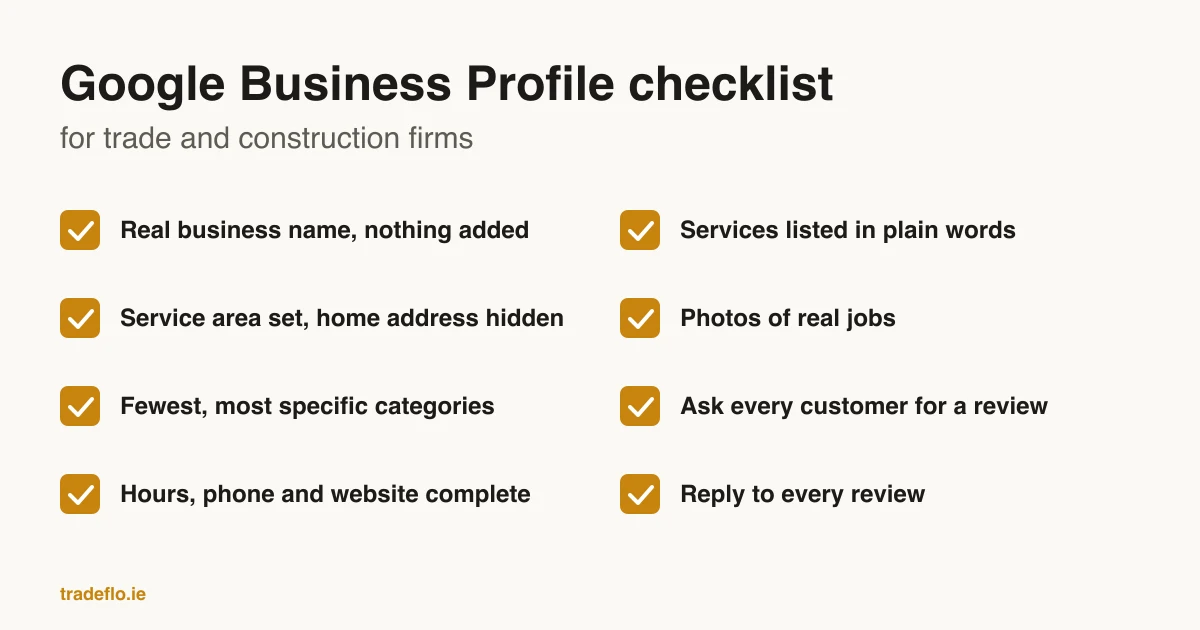
For a trade or construction firm, the Google Business Profile is what shows on the map when someone searches for a job near them. This Google Business Profile optimization checklist sticks to what Google itself says, so every point has a source you can check. Work through it once, then use the monthly table at the end to keep it right.
How Google decides who shows up locally
Google's own help page says local results are mainly based on three things: relevance, distance and prominence (Google, tips to improve your local ranking). Relevance is how well your profile matches what someone searched for. Distance is how far you are from the searcher. Prominence is how well known the business is, based partly on how many websites link to you and how many reviews you have.
Distance is fixed by where you are. The rest of this checklist is about relevance (what your profile says you do) and prominence (reviews and links). Google is also plain that there is no way to request or pay for a better local ranking, which rules out anyone who offers to sell you one.
The checklist
1. Use your real business name, and nothing else
Google's guidelines say your name should be your real-world business name, as used on your signage, website and stationery. Adding extra words, such as a service or a town, is not permitted and can get the profile suspended (Google, guidelines for representing your business). For example, "Your Name Roofing" is fine. "Your Name Roofing, Best Roof Repairs and Gutters" is the kind of name that gets flagged.
2. Set a service area and hide your home address
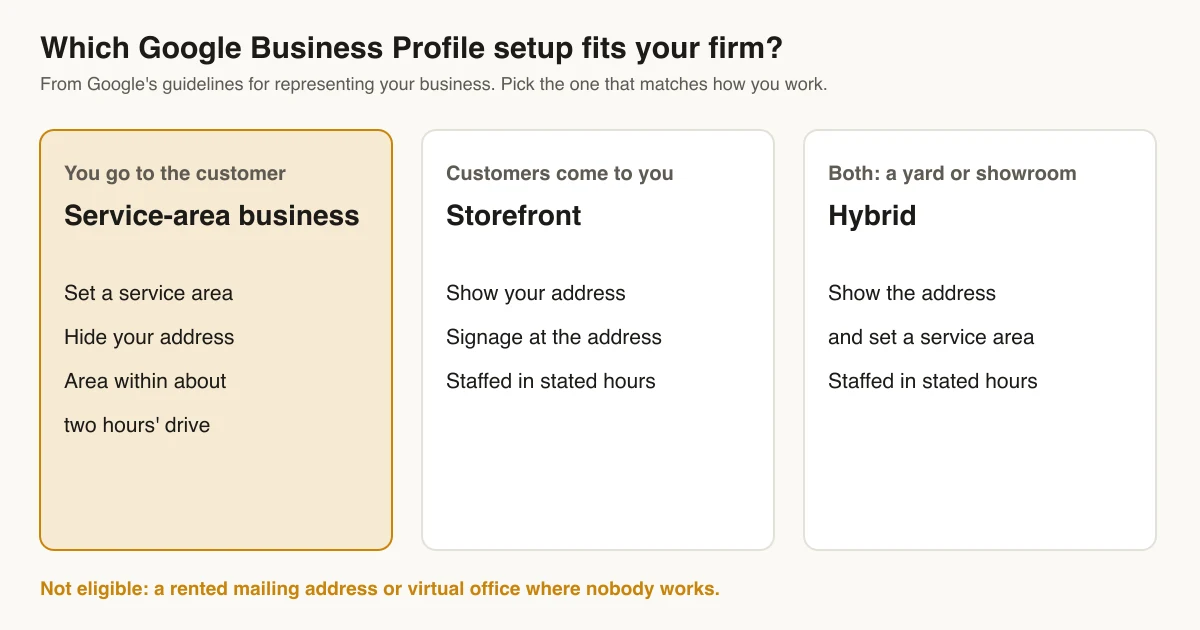
Most trade firms go to the customer, so Google treats them as a service-area business: a business that serves customers at the customer's location. Google says a service-area business should hide its address, and gives the example of a plumber who runs the business from home clearing the address from the profile. It also says the overall service area should not stretch farther than about two hours' driving from where the business is based. A rented mailing address with no one working there (a virtual office) is not eligible.
If you also have a yard or showroom where customers call in during stated hours, Google calls that a hybrid: you can show that address and set a service area as well, as long as the location is staffed.
3. Pick the fewest, most specific categories
Google's guidelines say to use as few categories as possible to describe the core business. Choose ones that are as specific as possible, and do not use categories as keywords. In practice that means one primary category for the work you most want, such as "Roofing contractor" over "Contractor", and only the extra categories that describe work you actually do.
4. Fill in hours, phone and website completely
Google says businesses with complete and accurate information are more likely to show up in local results. Inaccurate information can stop a profile showing for relevant searches. Set your real hours, including holiday hours. Use the same phone number as on your website. Link to the page on your site that matches the profile, usually the home page.
5. List your services in plain words
Relevance is how well your profile matches the search, so add each service you want to be found for, in the words customers use. "Boiler service" and "chimney repair" match searches. A list of brand names usually does not. If the website has a page for a service, the profile should list the same service, and the Google profile and local SEO work we do checks the two together for that reason.
6. Add photos of real jobs
Google's own tips page encourages photos and videos to show customers what you offer. For a trade firm, that means your own work: the finished job, the van, the team on site, before and after shots. Stock photos tell a customer nothing about your work.
7. Ask every customer for a review
Google's tips for getting reviews suggest sending customers a Google link or a QR code to leave one (Google, tips to get more reviews). Two rules from Google's content policy matter here. You may not offer an incentive, such as a discount, payment or free work, in exchange for a review. And you may not discourage negative reviews or selectively ask only happy customers (Google Maps, prohibited content).
Asking only the customers you know were happy is called review gating, and Google's policy bans it. Ask everyone, the same way, after every job.
8. Reply to every review
Google says replying to reviews shows customers you value their feedback. Its guidance is to keep replies short, personal and prompt. For a negative review, reply with a constructive answer and follow up. A short reply that names the job and thanks the person is enough for most reviews.
9. Keep the profile and the website saying the same thing
Name, phone number, service area and services should match between the profile and the site, because a customer who clicks through from the map expects to land on the same business. Our free Google profile check looks at the profile side, and the free website check looks at the site.
10. Check it every month
Profiles drift. Hours change, a new phone number goes on the van, a customer suggests an edit. Put the table below in the diary for the first Monday of the month.
| Check | What good looks like | How often |
|---|---|---|
| Business name | Matches the signage and website, nothing added | Monthly |
| Address and service area | Address hidden if you go to customers; area within about two hours' drive | Monthly |
| Categories | One specific primary category, few extras | Every quarter |
| Hours and phone | Correct, including holiday hours; phone matches the website | Monthly, and before every bank holiday |
| Services | Every service you want work for, in customers' words | Every quarter |
| Photos | Recent photos of your own jobs | Monthly |
| Reviews | Every customer asked; every review answered | Weekly |
What to leave alone
- Keyword stuffing in the name. It breaks Google's name rules and risks a suspension.
- A second profile at a home or a mailing address you do not work from. Google allows one profile per real location with its own staff.
- Buying reviews, swapping reviews with other firms, or asking staff and family. Google's policy covers conflicts of interest as well as payment.
- Anyone who offers to pay Google for a better place on the map. Google says that cannot be done.
Request a profile review demo
Send your business name and the part of the profile you want to improve. We will reply by email to arrange a walkthrough of the checks and next steps.
Request a profile review demoQuestions people ask
How do I optimize my Google Business Profile?
Use your real business name, set a service area and hide your home address if you go to customers, pick the fewest and most specific categories, fill in hours, phone, website and services completely, add photos of real jobs, and ask every customer for a review. Google's own guidelines cover each point.
Should a trade business show its address on Google?
Not if you work at the customer's location. Google's guidelines say a service-area business should hide its address, and give the example of a plumber running the business from home.
Can I offer customers something for a Google review?
No. Google's policy bans offering payment, discounts, free goods or services in exchange for a review, and bans asking only customers you expect to be happy.
How many categories should I choose?
As few as possible. Google says to use the fewest categories that describe your core business, to make them as specific as possible, and not to use them as keywords.
Can I pay Google to rank higher on the map?
No. Google says there is no way to request or pay for a better local ranking. The parts you control are relevance, through a complete and accurate profile, and prominence, through reviews and links.
Sources
US review rules for your profile
Reviews drive a Google Business Profile, and in the US the Federal Trade Commission sets firm rules for them. Its rule on consumer reviews and testimonials took effect on October 21, 2024 (FTC questions and answers).
Ask every customer for a review in the same way. The FTC says you may offer an incentive only if the review does not have to be positive. Paying for 5-star reviews breaks the rule, even with a disclosure.
Family and staff may review your business only if they say clearly who they are. You can answer a bad review in public, but never with threats or false accusations. You may also contact an unhappy customer to put things right.
The rule itself does not ban asking only your happy customers. The FTC warns that the practice can still be deceptive under the FTC Act, so ask everyone.
Editorial note: first written for Irish firms, updated for US readers on November 11, 2026. Sources are linked where they are used.
Written by
TradeFlo
Written by the TradeFlo team, checked against the sources listed
Fact-checked against the sources listed above before publishing. More about us. Spotted something wrong? Contact us and we will correct it.